Wipe Mode
Wipe mode splits the viewer with a draggable line, showing the original image on one side and the color-graded version on the other. This compares the effect of color corrections on a single source without switching between two files.
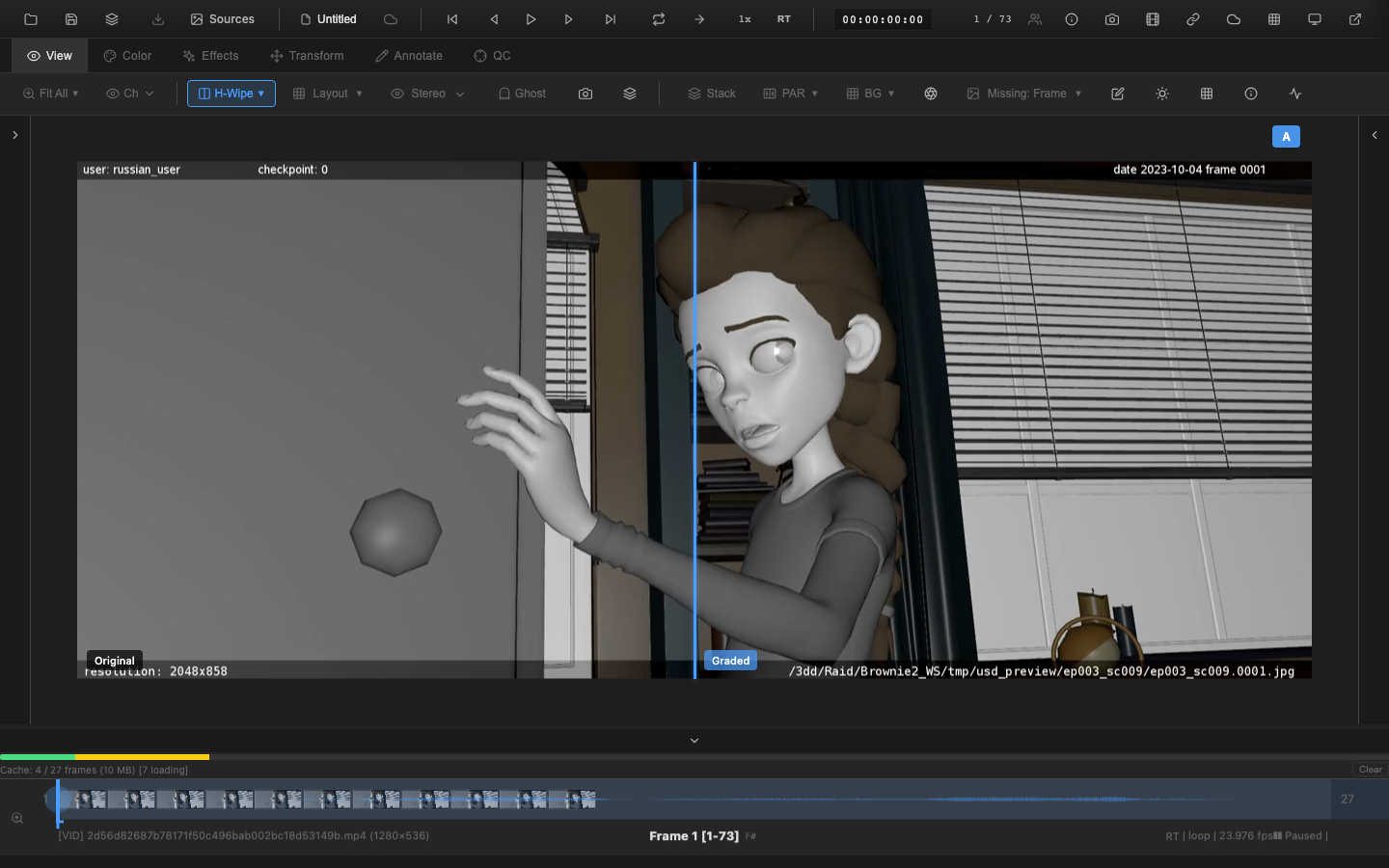
Enabling Wipe Mode
Press Shift+W to cycle through wipe modes:
- Off -- normal display
- Horizontal wipe -- vertical split line, original on left, graded on right
- Vertical wipe -- horizontal split line, original on top, graded on bottom
Press Shift+W again to cycle to the next mode, and again to return to off.
Wipe mode can also be activated from the Compare dropdown in the View tab toolbar.
Dragging the Wipe Line
The wipe line is an accent-colored gradient with a drop shadow, 4 pixels wide. Click and drag the line to reposition it anywhere across the viewer. The wipe position is stored as a normalized value (0 to 1), so it adapts when the window resizes.
Labels
Position-aware labels identify each side:
- Horizontal wipe: "Original" on the left, "Graded" on the right
- Vertical wipe: "Original" on the top, "Graded" on the bottom
Labels hide automatically when the wipe line is dragged to the edge of the frame, since only one version is visible at that point.
VFX Use Case
Wipe mode is ideal for evaluating color grades and LUT effects during review. Drag the wipe line across the subject's face to compare skin tone rendering before and after the grade, or across a CG element to verify that the grade integrates the element with the plate. The horizontal wipe is most commonly used, but switch to vertical wipe when evaluating sky gradients or top-to-bottom lighting changes.
How It Works
Wipe mode renders the same source twice: once with the current color corrections applied and once without. The wipe line defines the clip region between the two renders. This allows direct visual comparison of exposure, contrast, saturation, LUT, tone mapping, and other adjustments.
Unlike split screen (which compares two different sources), wipe mode compares the same source with and without the active color pipeline.
Keyboard Reference
| Key | Action |
|---|---|
Shift+W | Cycle wipe mode (off, horizontal, vertical) |
Related Pages
- A/B Switching -- switch between two different sources
- Split Screen -- side-by-side display of two sources
- Difference Matte -- pixel-level difference analysis
- Shape Tools -- annotate areas of interest during comparison