Difference Matte
The difference matte mode computes and displays the pixel-by-pixel difference between sources A and B. Areas where the two sources are identical appear black; areas with differences appear bright. This mode is invaluable for spotting subtle changes between renders or versions.
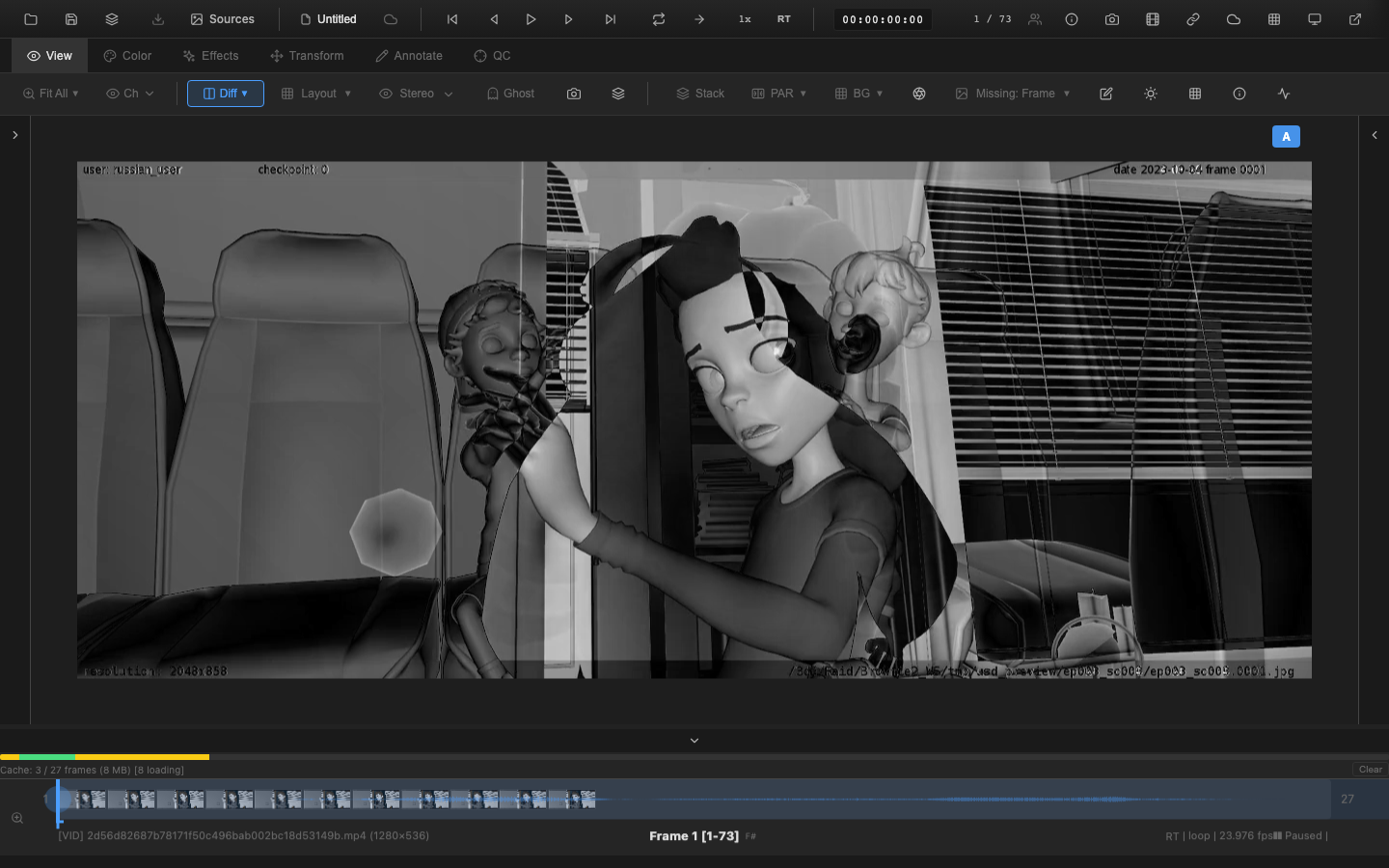
Enabling Difference Matte
Press Shift+D to toggle difference matte mode. The viewer switches to displaying the computed difference image. Press Shift+D again to return to normal display.
Difference matte can also be toggled from the Difference Matte section of the Compare dropdown.
Display Modes
Grayscale (Default)
The absolute difference between corresponding pixels in A and B is displayed as a grayscale value. Black means zero difference (identical pixels). Brighter values indicate larger differences.
Heatmap
Enable heatmap mode from the Compare dropdown to display differences as color-coded values. The heatmap makes it easier to distinguish small differences from large ones by mapping the difference magnitude to a color gradient.
Gain Control
Subtle differences may not be visible at 1x gain. The gain slider in the Compare dropdown multiplies the difference values before display:
| Gain | Effect |
|---|---|
| 1x | Raw difference values |
| 2x--5x | Moderate amplification for subtle changes |
| 5x--10x | Strong amplification to reveal near-identical regions |
Drag the gain slider or enter a value directly. The range is 1x to 10x.
Use Cases
- Render comparison -- compare two renders to verify that changes are limited to the intended areas
- Version review -- spot differences between shot versions to confirm fixes
- Compression artifacts -- compare an original frame with a compressed version to evaluate quality loss
- Compositing QC -- verify that a composited element only affects its intended region
VFX Use Case
Difference mattes are essential for compositing QC. Load the clean plate as source A and the final comp as source B -- the difference reveals every pixel modified by the comp, making it easy to spot edge artifacts, despill halos, color mismatches, and roto errors. Increase the gain to 5x-10x to catch subtle differences invisible at 1x. This is the standard technique supervisors use to verify that comp fixes are isolated to the intended area.
WARNING
For CG renders, even tiny floating-point differences in anti-aliased edges will show up in the difference matte. A gain above 5x on CG content will typically show noise at every edge. This is expected behavior and not necessarily an error -- focus on large, contiguous difference areas when evaluating render changes.
Mutual Exclusivity
Enabling difference matte disables wipe mode and split screen. Only one comparison visualization can be active at a time. Enabling a blend mode also disables difference matte.
Keyboard Reference
| Key | Action |
|---|---|
Shift+D | Toggle difference matte |
Related Pages
- A/B Switching -- load and switch between two sources
- Blend Modes -- onion skin and flicker comparison
- Wipe Mode -- split-line comparison
- Shape Tools -- annotate differences found during comparison