Exporting Annotations
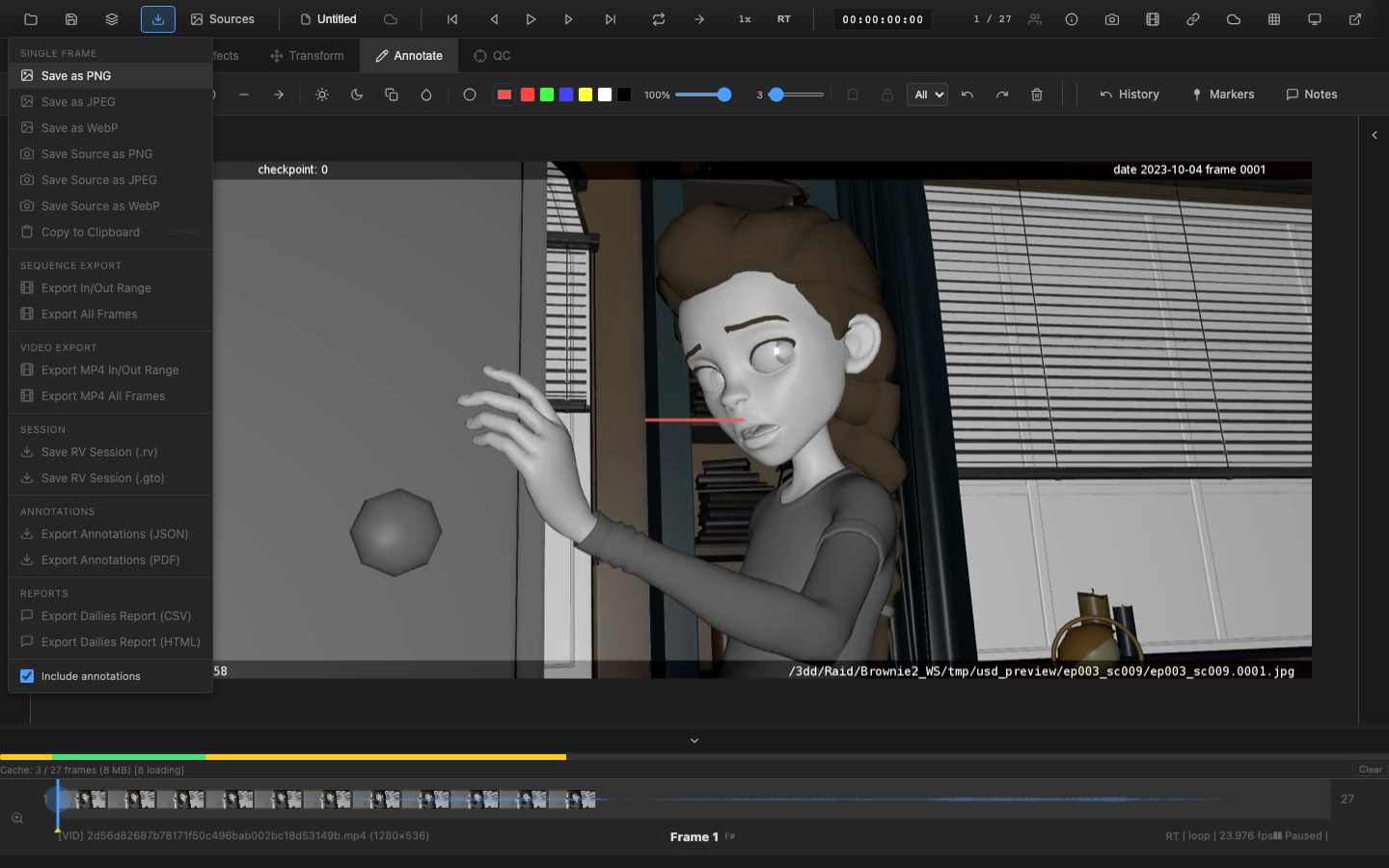
Annotations can be exported in JSON format for data interchange and in PDF format for printable review reports. Both export options are available from the Export menu in the header bar.
JSON Export
Select Export Annotations (JSON) from the Export menu. A .json file downloads containing all annotations from the current session.
JSON Structure
The exported JSON includes:
| Field | Description |
|---|---|
version | Format version (currently 1) |
exportedAt | ISO timestamp of export |
source | Always "openrv-web" |
effects | Ghost and hold mode settings |
frameRange | Start frame, end frame, total frames |
statistics | Counts of pen strokes, text annotations, shape annotations, and annotated frames |
frames | Map of frame numbers to annotation arrays |
Import and Merge
JSON annotation files can be imported back into OpenRV Web. The import process supports:
- Round-trip fidelity -- export and re-import preserves all annotation data
- Merge -- importing into a session that already has annotations merges the new annotations with existing ones
- Frame offset -- annotations can be offset by a specified number of frames during import, useful when the same annotations apply to a retimed version of the footage
Example JSON
{
  "version": 1,
  "exportedAt": "2026-03-07T10:30:00.000Z",
  "source": "openrv-web",
  "effects": {
    "hold": false,
    "ghost": false,
    "ghostBefore": 2,
    "ghostAfter": 2
  },
  "frameRange": {
    "start": 1,
    "end": 100,
    "totalFrames": 100
  },
  "statistics": {
    "totalAnnotations": 15,
    "penStrokes": 8,
    "textAnnotations": 4,
    "shapeAnnotations": 3,
    "annotatedFrames": 6
  },
  "frames": {
    "1": [ /* annotation objects */ ],
    "25": [ /* annotation objects */ ]
  }
}
PDF Export
Select Export Annotations (PDF) from the Export menu. The browser print dialog opens with a formatted annotation report.
PDF Contents
The PDF report includes:
- Frame thumbnails -- small previews of each annotated frame (configurable size)
- Timecode information -- frame number and timecode for each annotated frame
- Annotation summary -- table listing all annotations with type, position, and content
- Color swatches -- visual indicators of annotation colors
The PDF is generated using the browser's built-in print dialog, so it can be saved as a PDF file or sent directly to a printer.
Export with No Annotations
When no annotations exist in the session, the annotation export menu items are hidden from the Export dropdown. They appear automatically once annotations are added, and are hidden again if all annotations are removed.
Access from Export Menu
Both export options appear in the Export dropdown menu in the header bar only when annotations exist in the session:
- Export Annotations (JSON) -- downloads JSON file
- Import Annotations (JSON) -- imports annotations from a previously exported JSON file
- Export Annotations (PDF) -- opens print dialog
Related Pages
- Pen and Eraser -- create annotations
- Shape Tools -- geometric annotations
- Per-Frame Modes -- ghost and hold mode settings in export
- Sessions -- session save/load includes annotations
- Video Export -- export video with annotations baked in