Per-Frame Annotations, Ghost Mode, and Hold Mode
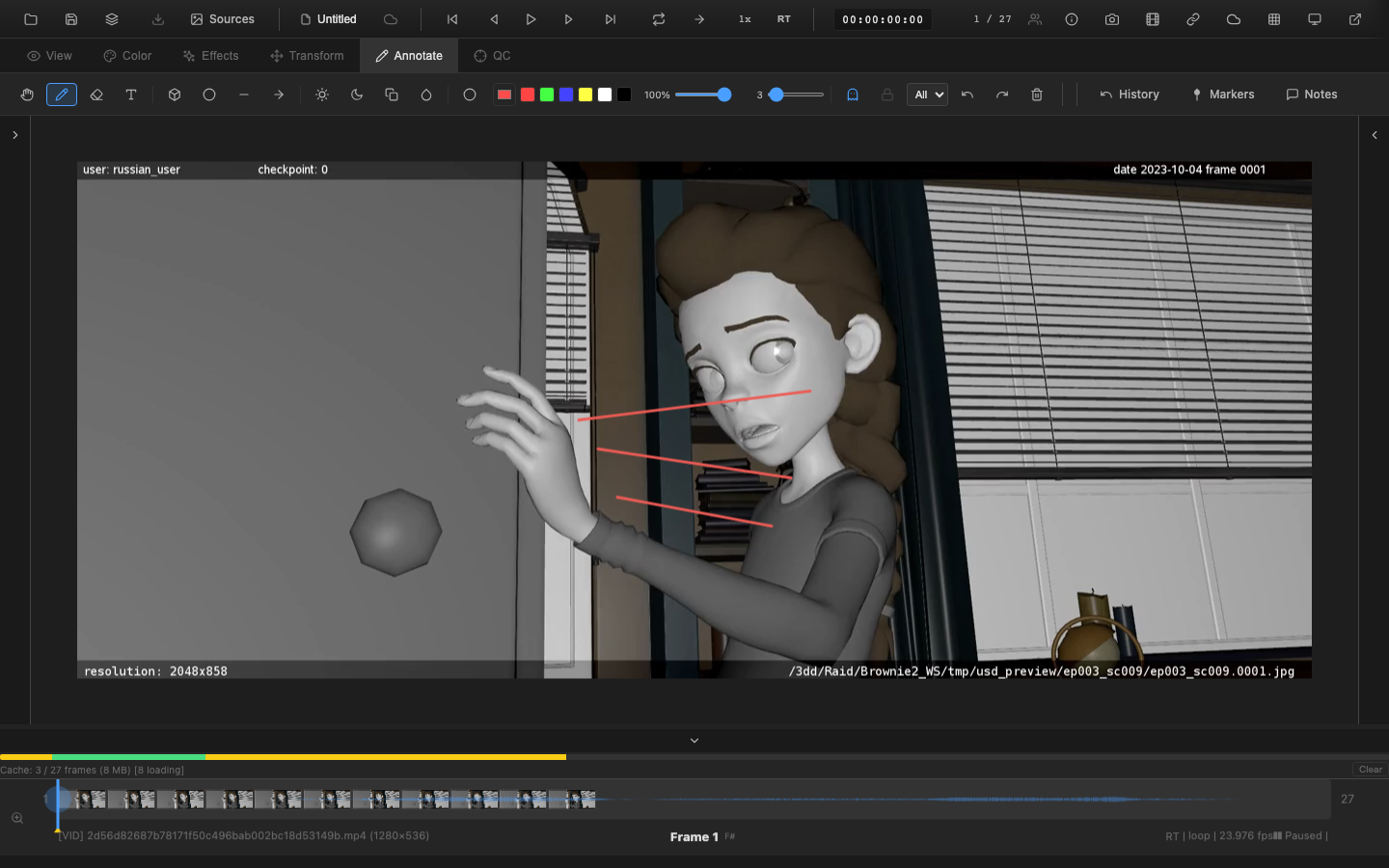
OpenRV Web stores annotations on a per-frame basis and provides two display modes -- ghost and hold -- that control how annotations appear across multiple frames.
Per-Frame Storage
Every annotation (pen stroke, shape, text) is associated with the frame number on which it was created. Moving to a different frame shows that frame's annotations, hiding annotations from other frames.
This per-frame model is ideal for shot review, where notes and markup are relevant to specific moments in the footage.
Navigating Annotated Frames
Yellow triangle markers on the timeline indicate which frames have annotations. Use the following shortcuts to jump between annotated frames:
| Key | Action |
|---|---|
, | Jump to previous annotated frame |
. | Jump to next annotated frame |
This makes it efficient to review all annotated frames without manually scanning through the timeline.
Ghost Mode
Press G to toggle ghost mode. When enabled, annotations from nearby frames are displayed alongside the current frame's annotations, with reduced opacity. This creates an onion-skin effect for annotations.
Configuration
Ghost mode supports configurable range and opacity:
| Parameter | Description | Default |
|---|---|---|
| Ghost before | Number of frames before the current frame to show | 0--5 frames |
| Ghost after | Number of frames after the current frame to show | 0--5 frames |
| Opacity falloff | Annotations from further frames appear more transparent | Automatic |
Ghost mode is controlled through the paint effects system:
// Ghost mode accessible via session paint effects
// ghostBefore and ghostAfter control the range
Use Cases
- Animation review -- see how drawn corrections track with motion across frames
- Consistency check -- verify that annotations on adjacent frames align
- Context -- understand what notes were left on surrounding frames without navigating away
Ghost Frames (Onion Skin)
Press Shift+G or Ctrl+G to toggle ghost frames (onion skin), which shows semi-transparent previous and next video/image frames rather than annotations. This separate feature helps animation reviewers see motion arcs.
Ghost frames support:
- Configurable range (0--5 frames before and after)
- Opacity falloff with distance
- Optional color tinting to distinguish before/after frames
Hold Mode
Press X to toggle hold mode. When enabled, annotations on the current frame persist and remain visible on all subsequent frames. This is useful for notes that apply to an entire range of frames rather than a single frame.
Behavior
- Annotations drawn on frame 10 with hold mode enabled appear on frames 10, 11, 12, and so on
- The annotations are displayed at full opacity on all held frames
- Disabling hold mode returns to per-frame display
Use Cases
- Range-based notes -- mark an issue that spans multiple frames (e.g., "flickering light from frame 10 to 25")
- Persistent labels -- place reference labels that should be visible throughout a shot
- Comparison reference -- draw alignment guides that stay visible while scrubbing through frames
Timeline Indicators
Frames with annotations are marked on the timeline with yellow triangle indicators below the track. These indicators appear for:
- Frames with direct annotations
- The starting frame of held annotations (when hold mode was enabled)
During playback, the PaintRenderer draws the appropriate annotations for each frame based on the current ghost and hold settings.
Combining Ghost and Hold
Ghost and hold modes can be used together. Hold mode determines which annotations are visible at the current frame, and ghost mode adds semi-transparent annotations from nearby frames on top.
State in Session
Ghost and hold mode states are saved as part of the paint effects in the session state:
{
  ghost: boolean,       // Ghost mode enabled
  ghostBefore: number,  // Frames before to show
  ghostAfter: number,   // Frames after to show
  hold: boolean         // Hold mode enabled
}
These settings persist when saving a project (.orvproject) and are restored on load.
Related Pages
- Pen and Eraser -- freehand drawing tools
- Shape Tools -- geometric annotations
- Text Annotations -- text labels
- Exporting Annotations -- save annotations as JSON or PDF
- Timeline Controls -- annotation markers on timeline