Session Save and Load
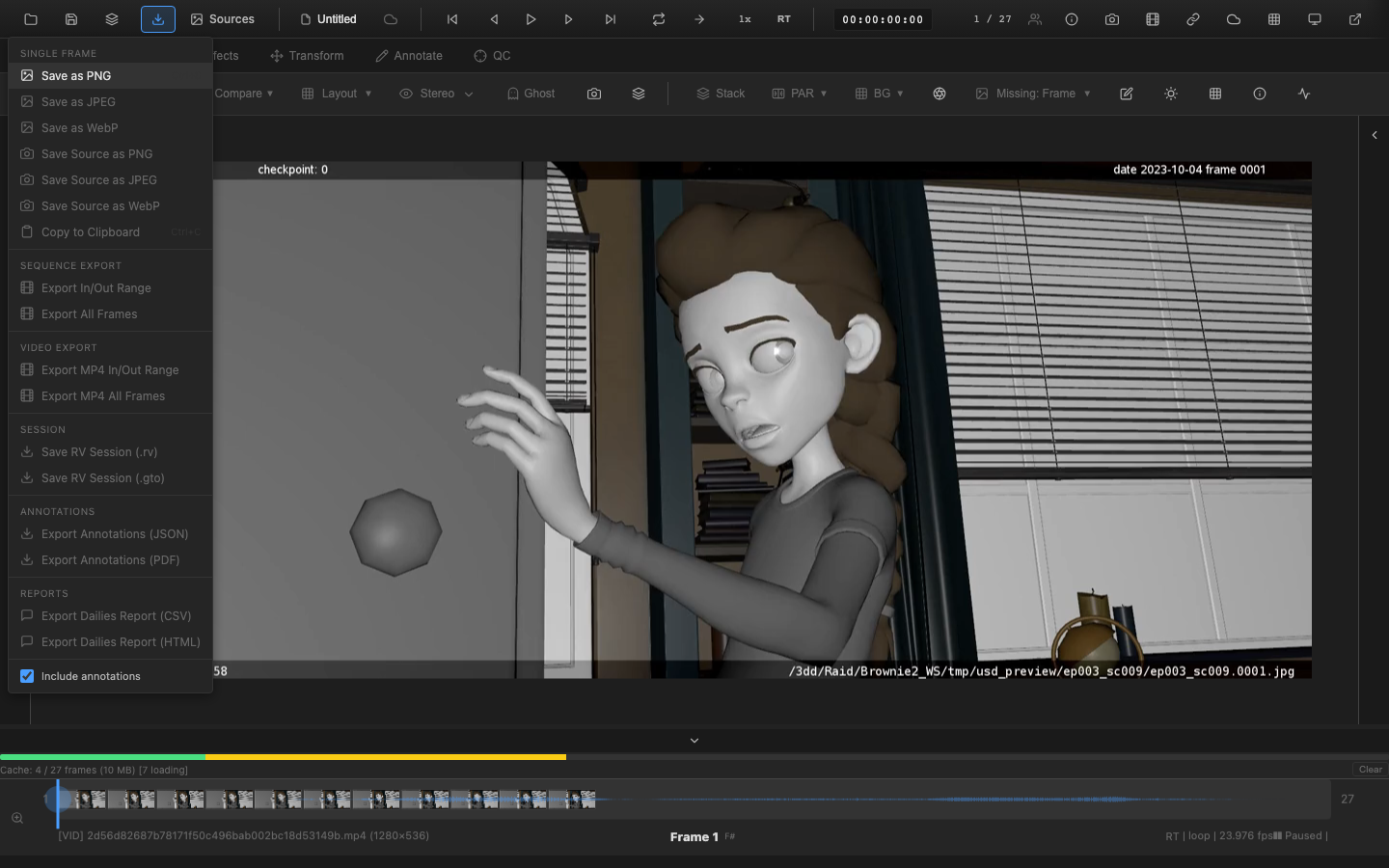
OpenRV Web saves the complete state of a review session to a .orvproject file. This includes all media references, color corrections, annotations, playback settings, and viewer configuration.
This page provides an overview of session persistence. For detailed coverage of snapshots, auto-save, and crash recovery, see Session Management.
Saving a Session
Click the Save button in the header bar or use the Export menu to save the current session. The browser downloads a .orvproject file containing a JSON representation of the session state.
What Is Saved
| Category | Saved Data |
|---|---|
| Media references | File paths, names, types, dimensions, duration, FPS |
| Playback state | Current frame, in/out points, FPS, loop mode, volume, muted state |
| Markers | Frame, note, color for each marker |
| Annotations | All pen strokes, shapes, text per frame; ghost/hold settings |
| Color | Exposure, gamma, contrast, saturation, brightness, temperature, tint, vibrance, clarity, highlights, shadows, whites, blacks |
| CDL | Slope, offset, power, saturation |
| View | Zoom level, pan position |
| Transform | Rotation, flip, scale, translate |
| Crop | Crop enabled state and region |
| Lens distortion | K1, K2, center parameters |
| Wipe/Compare | Wipe mode, position, angle |
| Layer stack | Layer blend modes and opacity |
| LUT | LUT file path reference and intensity |
| Filters | Blur, sharpen settings |
| LUT pipeline | Per-source and display LUT stage assignments (names, enabled flags, intensities) |
| Overlays | Timecode overlay, Safe Areas overlay, Clipping overlay, Info Strip overlay, Spotlight overlay, Bug overlay, EXR Window overlay, FPS Indicator overlay |
| EDL entries | Edit Decision List entries |
| Playlist | Clip list with in/out points and loop mode |
| Node graph | Graph topology, node connections, and properties (when a graph is active) |
Loading a Session
Load a .orvproject file through the file picker (select the .orvproject file type) or by dragging the file onto the viewer.
Blob URL Handling
Files loaded from the local filesystem use temporary blob URLs that become invalid after the browser closes. When a saved session contains blob URL references:
- The serializer marks those media references with
requiresReload: true - On load, a file reload dialog appears for each affected reference
- The user can Browse to select the original file, Skip the reference (continues loading with a warning), or Cancel to abort the entire restore flow
A filename mismatch warning appears if the selected file differs from the expected filename.
RV/GTO Session Files
OpenRV Web imports and exports original OpenRV .rv and .gto session files.
Importing
The GTO parser reconstructs the node graph and restores:
- Playback ranges
- Channel selection
- Scope configurations
- Paint effects and annotations
Exporting
The Export menu includes Save RV Session (.rv) and Save RV Session (.gto) options. These write the current session state back to the original OpenRV format using the GTO serializer. The .rv variant writes a text-based GTO file while .gto writes a binary GTO file. If the session was originally loaded from a GTO file, the stored GTO graph is updated and saved; otherwise a new GTO graph is generated from the current session and paint state.
Migration
The .orvproject format includes a version number. When loading a session saved with an older format version, the serializer applies migrations to update the data structure. Missing fields receive default values to ensure backward compatibility.
Auto-Save and Snapshots
For protection against data loss, OpenRV Web provides:
- Auto-save -- periodic saves to IndexedDB with configurable intervals (1--30 minutes)
- Snapshots -- named version history with preview and restore capability
- Crash recovery -- detection of unclean shutdown with recovery from the most recent auto-save
These features are covered in detail in the Session Management page.
Related Pages
- Session Management -- snapshots, auto-save, crash recovery
- Frame Export -- export individual frames
- Video Export -- export encoded video
- EDL and OTIO -- export edit decision lists
- Exporting Annotations -- annotation-specific export as JSON or PDF