MDv markdown viewer for macOS

Double-click a markdown file. Read it.

That's the whole product. Meeting notes, specs, AI chat exports, READMEs — half the files anyone sends you are .md, and macOS still has no one-click way to read one. Quick Look shows raw text; an editor makes you wait for an IDE to boot so you can use 5% of it. MDv is the missing viewer.

Download MDv Latest release · notarized DMG Release notes

For Apple silicon Macs (arm64) — there is no Intel build. The DMG is signed with a Developer ID certificate and notarized by Apple, so it opens without a Gatekeeper prompt: drag MDv into Applications and double-click any .md file. About 5 MB to download, ~13 MB on disk.

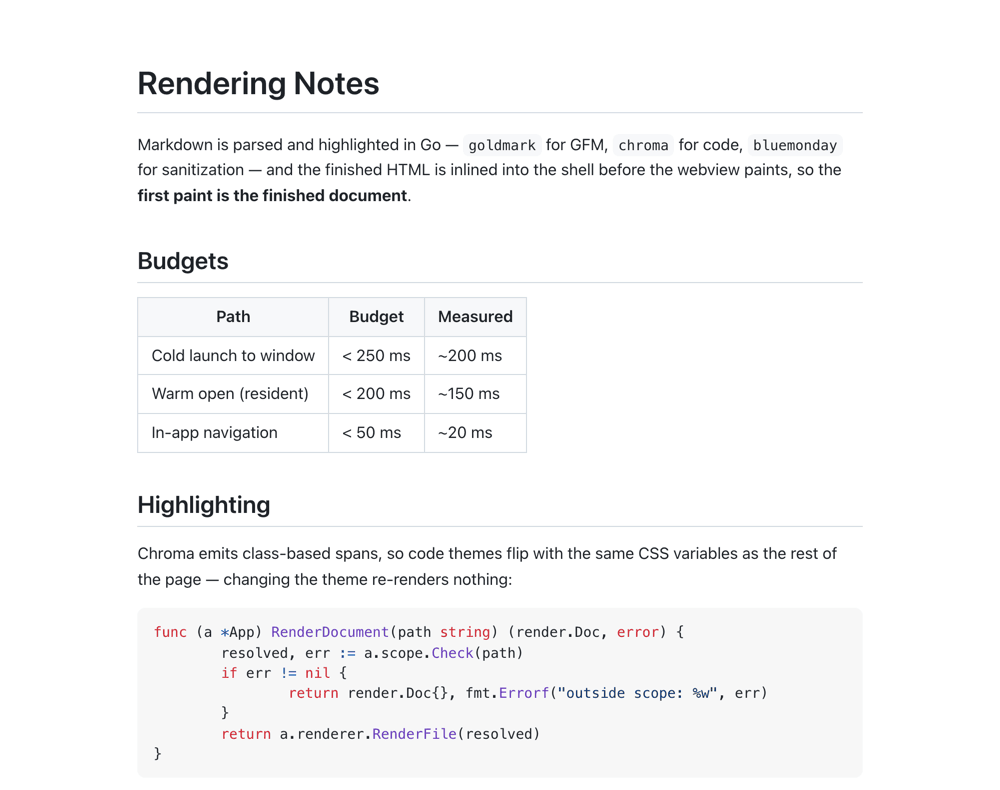
A markdown document open in MDv: an H1, body prose, a GFM table and a syntax-highlighted Go code block on a white background with no visible window chrome.
Nothing but the document. The toolbar auto-hides until you reach for it.

This is the app's own output

The document below is not a mock-up. It is the same demo.md as in the screenshots, run through MDv's real pipeline — goldmark for GFM, chroma for highlighting, bluemonday for sanitization — and pasted in unchanged, with the app's own stylesheet.

Switching theme flips a single data-theme attribute and nothing re-renders — not the prose, not the table, not the syntax highlighting, because chroma emits classes rather than inline colors. Try it:

demo.md

Rendering Notes

Markdown is parsed and highlighted in Go — goldmark for GFM, chroma for code, bluemonday for sanitization — and the finished HTML is inlined into the shell before the webview paints, so the first paint is the finished document.

Budgets

Path Budget Measured
Cold launch to window < 250 ms ~200 ms
Warm open (resident) < 200 ms ~150 ms
In-app navigation < 50 ms ~20 ms

Highlighting

Chroma emits class-based spans, so code themes flip with the same CSS variables as the rest of the page — changing the theme re-renders nothing:

func (a *App) RenderDocument(path string) (render.Doc, error) {
	resolved, err := a.scope.Check(path)
	if err != nil {
		return render.Doc{}, fmt.Errorf("outside scope: %w", err)
	}
	return a.renderer.RenderFile(resolved)
}

Any single fence over 50 KB skips highlighting and renders as plain escaped <pre><code>. Chroma tokenization costs seconds per megabyte, and a bounded worst case matters more than colored tokens in a generated dump.

Reading defaults

  • White background, system font, ~72ch column, auto-hiding toolbar
  • Light / dark / sepia / follow-system themes, persisted between launches
  • Font family, size (Cmd+= / Cmd+-) and column width adjustable
  • Relative links to other markdown files open in-app, with back/forward

This document is the source for the screenshots in this directory; see the README for how they are produced.
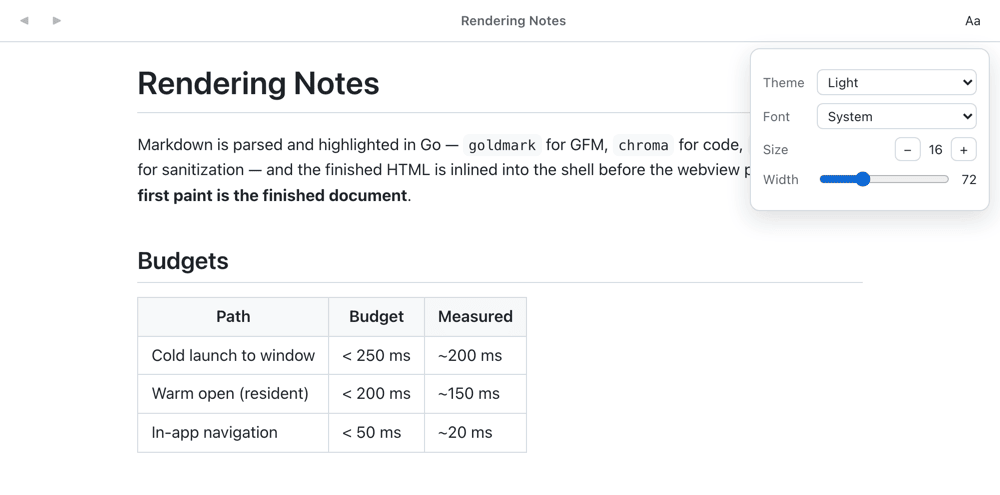
In the app the same control lives behind the Aa button, together with font family, size and column width, and the choice persists between launches.

What it does, and what it doesn't

  • Opens before you notice

    ~0.2 s from double-click to a rendered window, cold; well under 150 ms into the resident instance. Markdown becomes HTML in Go before the webview paints, so the first paint is the finished document.

  • Reads like a document

    White background, system font, ~72ch column, auto-hiding toolbar. Light, dark, sepia or follow-system; font family, size (⌘= / ⌘-) and column width adjustable — and remembered.

  • Navigates between files

    Relative links to other markdown files open in place, with back/forward (⌘[ / ⌘]), scroll restoration and anchors. http(s) links go to your browser.

  • Copies as plain text

    Selecting and copying yields text, not rich HTML. Links offer “Copy Link Address”; code blocks get a hover copy button — the one in the frame above is the real thing.

  • Treats documents as untrusted

    Rendered HTML is sanitized with bluemonday, the webview runs a strict CSP, and file access is scoped to the directories of documents you opened. Executables are revealed in Finder, never launched.

  • Stays small

    Go + Wails v2 + the system WKWebView: ~13 MB on disk, no bundled browser, no JS framework. It does not edit, and it does not want to be your IDE.

The numbers above are measured on an M-series Mac and broken down, path by path, in ARCHITECTURE.md — including where a cold launch actually spends its time.

Appearance

Theme, font, size and column width live behind the Aa button in the auto-hiding toolbar, and persist between launches.

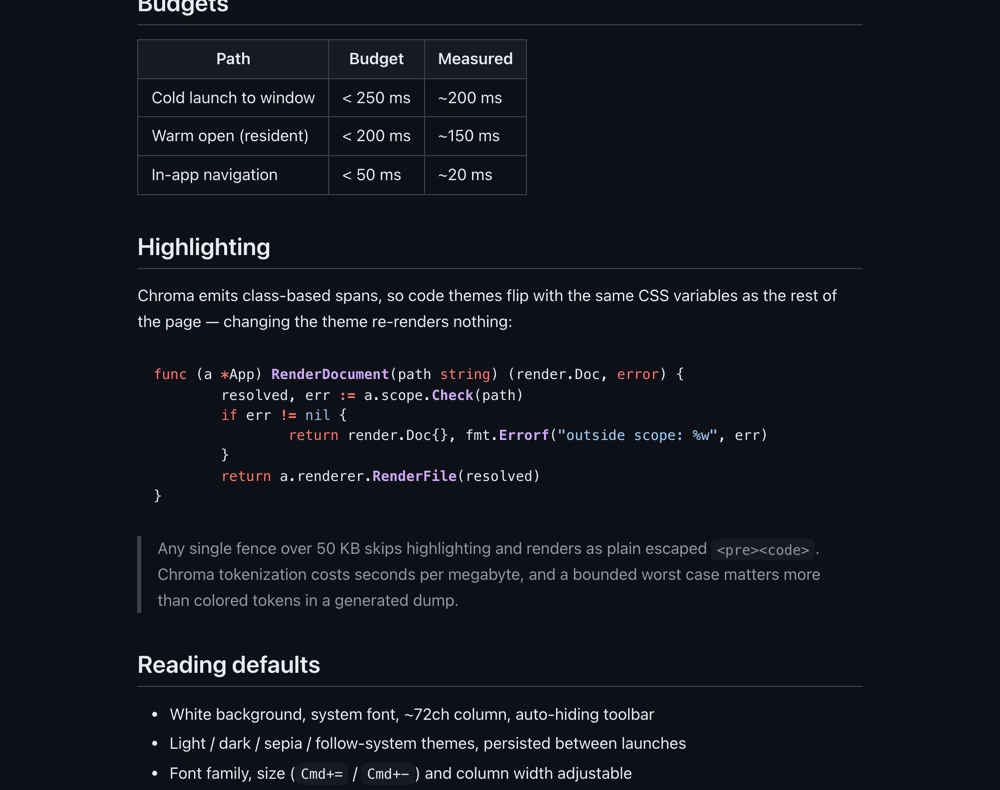
The same document in the dark theme, scrolled to a syntax-highlighted Go function and a blockquote, on a near-black background.
The dark theme. The code palette flips with it.
The MDv toolbar slid into view with the appearance menu open, showing theme, font, size and width controls.
The toolbar and the appearance menu, reached by moving the pointer to the top edge.

Make it the default for .md

The app bundle registers the file types, but macOS still wants you to pick the default handler once. This is the first thing to do after installing.

  1. In Finder: right-click any .md file → Get InfoOpen with: choose MDvChange All…. Repeat for .markdown if you use it.
  2. Or all extensions at once, from a checkout of the repo:
    swift scripts/set-default.swift

The script points .md, .markdown, .mdown and .mkd at /Applications/MDv.app through the same NSWorkspace API Finder uses, and prints the before/after handler for each. To undo, use Finder's Change All… to point the types back.

MDv stays running after you close its window (⌘Q quits), which is what makes later opens warm. scripts/prewarm.sh install makes the first open of a session warm too, by starting it hidden at login.